
Bring your home's controls and everyday plans together, with a dashboard built around the way you live.
By Aesir Reforge
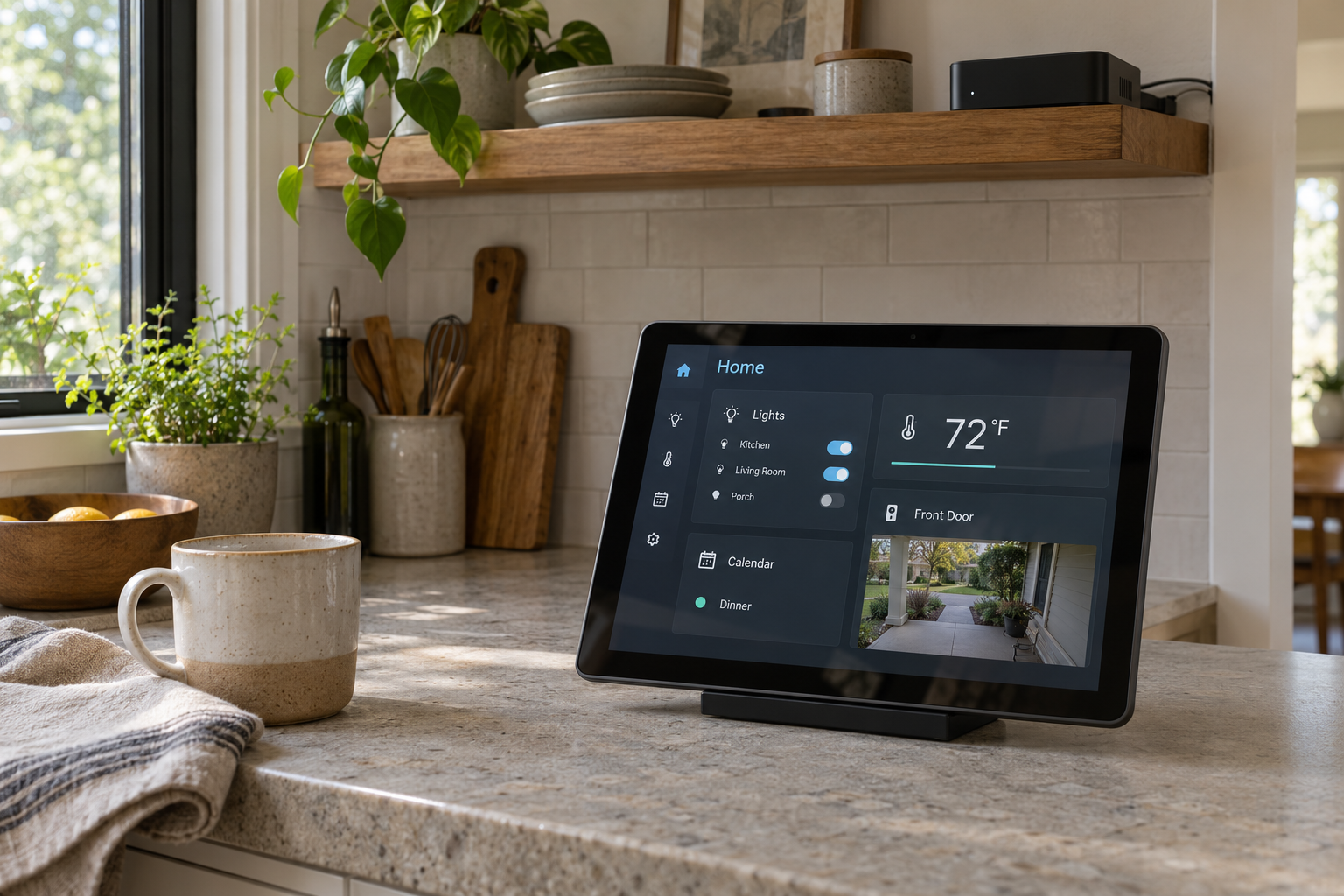
Custom home-dashboard concept. Screen details are fictional.
Imagine glancing at a kitchen screen and seeing tonight's dinner plan, the next appointment and the front-door camera. The lights are right there, too. Tap a button and the living room is ready for the evening.
That's the kind of home setup we like: useful information and everyday controls brought together around the people who live there.
Home Assistant can be the central brain behind it. It connects compatible devices and services, gives them a shared dashboard and lets you build routines across different brands.
A small computer with a big job
The system runs on a computer in your home. That could be a supported Raspberry Pi, a suitable mini PC or Home Assistant's ready-to-use Green. It stays on to manage the setup, while phones and tablets give you convenient ways to use it.
Hardware selection depends on the work. Basic controls, multiple camera streams and local voice processing can place different demands on a machine. Some devices also need a radio adapter, their existing hub or a cloud connection.
With compatible local integrations, more of your everyday control can stay inside the house and rely less on outside services.
Bring the brands together
You might already use Alexa for some things and Apple's Home app or Siri for others. Home Assistant can coordinate supported devices while those familiar interfaces remain useful.
Apple connections work in two directions. HomeKit Device brings supported HomeKit accessories into Home Assistant. HomeKit Bridge makes selected Home Assistant devices available to Apple's Home app and Siri.
Alexa integration can let you control supported devices by voice. A paid Nabu Casa subscription simplifies that connection; manual options also exist. Alexa still uses Amazon's services. Home Assistant's own Assist can provide local voice control with suitable hardware and configuration, with capabilities depending on the chosen voice system.
The practical benefit is being able to put compatible lights from different brands into one evening routine. We check the exact models and features first, including which existing hubs or subscriptions still need to stay.
Make a dashboard your household will use
Custom dashboards can run in the Home Assistant app or a browser. A supported tablet on a countertop or wall can become a convenient place to check the day.
Picture a fictional household dashboard with:
- Big, clearly named buttons for the lights people use most
- A supported camera view near the front door
- A calendar showing the events the household chooses to share
- Dinner plans entered in a local calendar, beside a shopping checklist
- Optional home/away status from participating household members' configured devices, with their agreement
The kitchen screen can stay simple while your phone offers more detail. Camera views, calendar details and presence information deserve deliberate choices about who can see them. Presence is an estimate based on devices, so useful routines should allow for missed updates.
Know what you're paying for
HomeSeer is one commercial option, sold as software or in controllers with software included. It offers free integrations alongside paid plugins, and MyHS has a free tier plus paid plans for additional services. Home Assistant's core software is free and open source. Your hardware, installation work, optional Nabu Casa services and any third-party subscriptions still belong in the budget. Compare the complete setup you want, including its ongoing costs.
Build it around your home
There's room for imagination here: a kitchen planning screen, a simpler set of controls for guests, or a dashboard arranged around your morning routine. Start with something useful and expand as the setup earns its place.
Aesir Reforge offers hands-on Home Assistant planning, setup and customization for everyday controls. We help select suitable equipment, connect compatible plug-in lighting, buttons and media devices, shape the dashboard and test the agreed routines. In-person help near Decherd is by appointment; planning and compatible software configuration can also start remotely.
What would you want on your home's main screen? Tell us what you already have and what you'd like it to do.